
Smart Home Devices for People Who Aren't Tech-Savvy

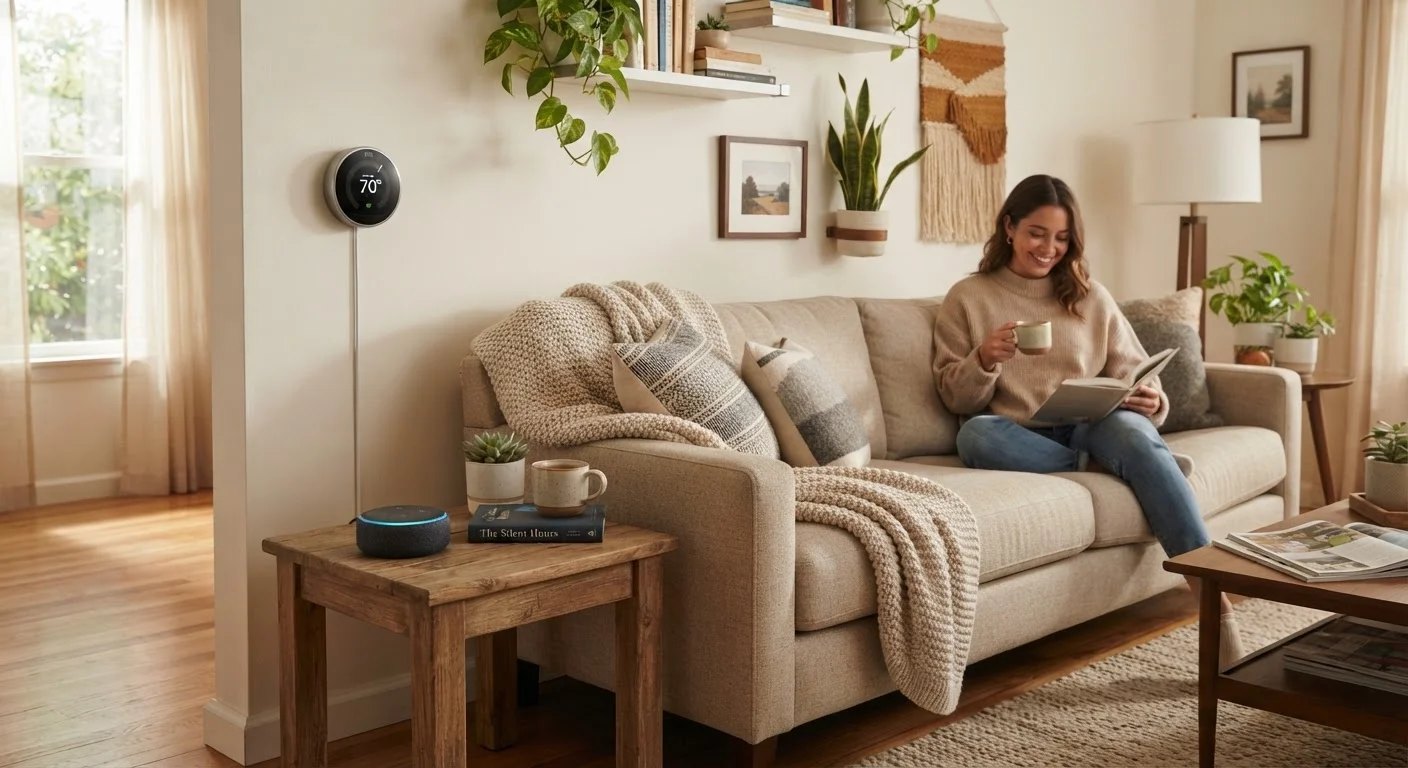
Photo: QuickSearches.net | It Doesn't Get Quicker Than This! editorial
Key Takeaways
- Smart speakers, plugs, and thermostats are the easiest entry points for beginners.
- Most smart devices are designed to be set up with just a smartphone app - no special skills required.
- You don't need to buy everything at once; one device at a time works fine.
- Wi-Fi reliability matters more than which brand you choose.
- Voice control is optional - every smart device can also be controlled manually or via app.
Why Smart Home Devices Feel Intimidating (And Why They Don't Have to Be)
The phrase "smart home" can conjure images of complicated installations and walls of glowing screens - but for most Americans, smart home technology is far more modest and accessible than the marketing suggests. The honest truth is that the most popular smart devices are designed to be set up and used by people with no technical background whatsoever.
The main barrier is usually unfamiliarity, not complexity. Once you've set up one device, the pattern becomes familiar: download an app, connect to Wi-Fi, follow on-screen steps. That's genuinely most of it. If you've ever set up a streaming service or connected a phone to Wi-Fi, you already have the skills required.
For readers already thinking about small upgrades around the house, smart devices fit naturally alongside the kinds of changes covered in our guide to small upgrades that change how a home feels every day.
Smart plug
A small adapter that sits between an appliance and a wall outlet, adding remote on/off control and scheduling through a smartphone app.
Wi-Fi 2.4 GHz vs. 5 GHz
Two wireless frequencies your home router likely broadcasts. Most smart home devices use 2.4 GHz because it travels farther through walls, even though 5 GHz is faster for streaming.
Smart home ecosystem
A group of smart devices designed to work together under one app or platform, such as Amazon Alexa, Google Home, or Apple HomeKit.
Voice assistant
Software built into smart speakers that listens for a wake word and responds to spoken commands, like setting a timer or controlling connected devices.
Automation / routine
A preset rule that makes a device act automatically - for example, turning on a lamp at 6 p.m. every day - without any manual input.
Matter
A newer industry standard that allows smart devices from different brands to work together more easily, reducing compatibility headaches for consumers.
The Three Device Types Worth Starting With
Rather than trying to automate your entire home, start with one of three proven entry points:
- Smart speakers: These are voice-activated devices that can answer questions, set timers, play music, and control other smart devices in your home. They require no maintenance after setup and have no moving parts to worry about. Voice commands are completely optional - you can also use the companion app.
- Smart plugs: A smart plug sits between your regular appliance and the wall outlet, letting you turn the appliance on or off remotely or on a schedule. Plug in a lamp, a fan, or a coffee maker - and you can control it from your phone or set it to run automatically. No rewiring, no electrician needed.
- Smart thermostats: These replace your existing thermostat and let you set heating and cooling schedules from your phone. Many learn your preferences over time. For households that forget to adjust the thermostat before leaving, the potential energy savings are real - though results vary based on home size, climate, and existing habits.
Each of these works independently - you don't need to buy all three, and you don't need them to talk to each other to get value from any one of them.
What to Expect During Setup
Every smart device setup follows roughly the same pattern. You'll need: a smartphone (iPhone or Android), access to your home Wi-Fi network, and the password for that network. The device's app will walk you through the rest.
Common steps include plugging in or mounting the device, downloading the manufacturer's app, creating a free account, and following the in-app prompts to connect the device to your Wi-Fi. For most smart plugs and speakers, this takes under 10 minutes.
Write Down Your Wi-Fi Password First
Smart thermostats take slightly longer because they involve removing your old thermostat and attaching wires. The apps typically include detailed photo-based guides, but if your home has older wiring or a heat pump system, it may be worth having a licensed electrician confirm compatibility before you start.
If you're simultaneously setting up a new tablet to use as a control device, our article on things people overlook when setting up a new tablet covers steps that will make app management easier from day one.
Making Devices Work Together Without Overcomplicating Things
You'll hear terms like "smart home ecosystem," "Matter," or "hub" when researching devices. You don't need to understand all of it to get started. Here's the plain-language version:
Many smart devices can talk to a smart speaker once connected, meaning you can say "turn off the living room lamp" if your smart plug and smart speaker are linked in the same app. This kind of basic voice control is usually set up in minutes and doesn't require any technical knowledge beyond following app prompts.
More advanced automation - like "turn on the porch light at sunset" or "lower the thermostat when I leave home" - is available in most apps, but it's entirely optional. You can use every device manually for years and add automation only when and if you want it.
If the idea of managing multiple systems sounds appealing, the concepts behind home organization systems parallel the digital-versus-physical trade-offs explored in our piece on digital vs. physical organization systems.
Common Mistakes First-Time Users Make
A few patterns consistently trip up new smart home users - and all of them are easy to avoid once you know about them:
- Buying too much at once: It's tempting to outfit every room immediately, but starting with one device lets you learn the setup process, test Wi-Fi reliability in different areas, and decide whether the format suits your habits before committing further.
- Weak Wi-Fi in key spots: Smart devices depend on a stable wireless signal. A device in a distant bedroom or basement may connect poorly if your router is on the opposite side of the house. Before buying, check signal strength in that room with your phone.
- Skipping the app's built-in tutorials: Most apps include setup videos and help guides that answer 90% of beginner questions. Reaching for outside help before exploring the app's own resources often adds confusion rather than reducing it.
- Ignoring privacy settings: Every smart device app has a settings section covering data sharing and voice history. It's worth spending five minutes reviewing these options when you first set up a device.
Smart home devices pair naturally with other kinds of household automation. If you're interested in reducing the mental load of managing finances the same way, our guide to automating your finances covers a parallel approach for money management.
Frequently Asked Questions
The content on this site is provided for informational purposes only and should not be considered a substitute for professional advice. While we strive to provide accurate and up-to-date information, we make no guarantees regarding its completeness or accuracy. Always consult a qualified professional for advice specific to your circumstances before making any decisions