
Public Wi-Fi: What's Actually Risky and What Precautions Help

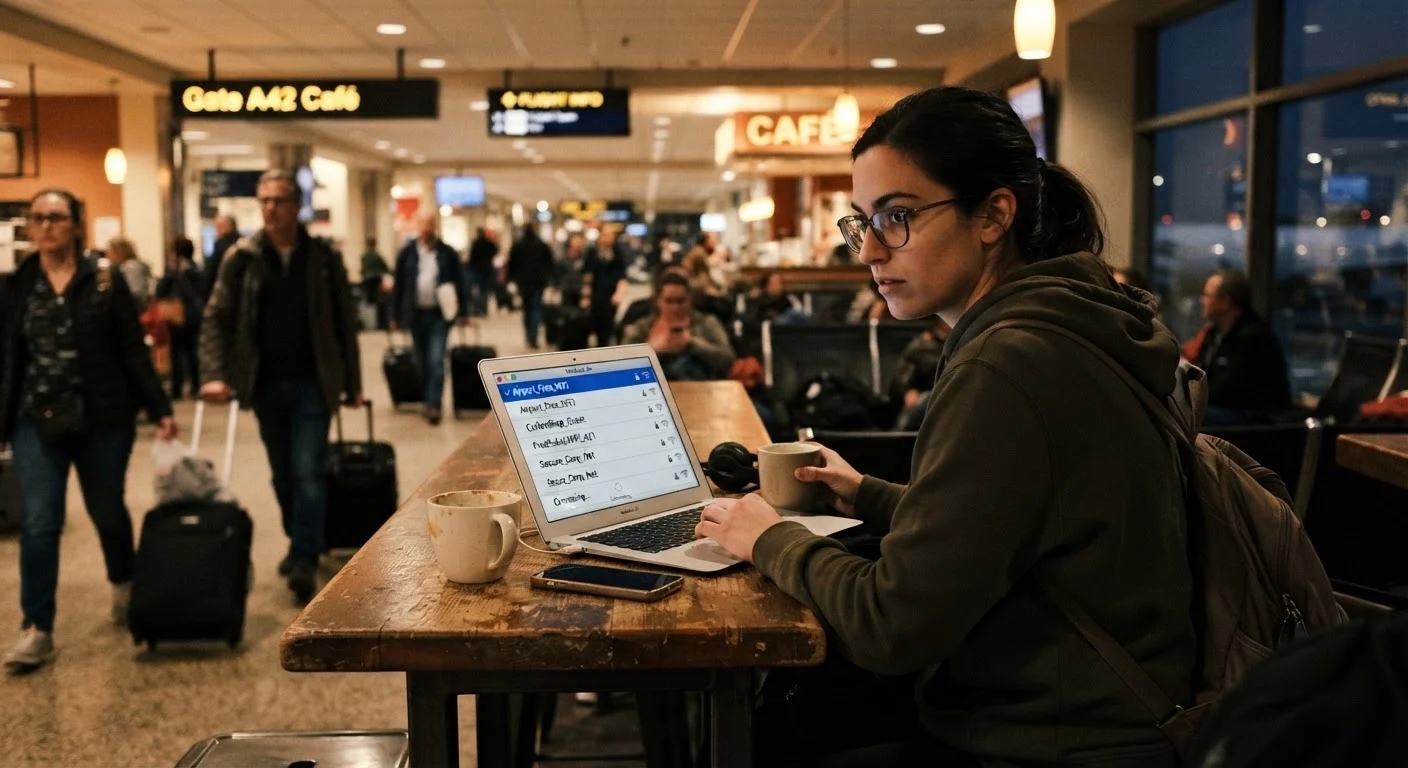
Photo: QuickSearches.net | It Doesn't Get Quicker Than This! editorial
Key Takeaways
- Most modern HTTPS websites encrypt your data even on public Wi-Fi, limiting exposure significantly.
- The biggest real threats are rogue hotspots and unencrypted apps - not generic 'hackers watching everything.'
- A VPN adds a meaningful layer of protection, especially when using unfamiliar or open networks.
- Turning off auto-connect and file sharing before joining public networks are simple, high-impact habits.
- Sensitive tasks like banking are best reserved for your cellular connection or a trusted home network.
The Real Risk Picture - It's More Specific Than You Think
Public Wi-Fi warnings are everywhere, but they're often painted with an overly broad brush. The reality is more nuanced - and understanding the actual threats helps you make smarter decisions rather than just avoiding all public networks out of fear.
The most commonly cited risk - a stranger on the same café network intercepting your passwords - has become far less likely as the web has shifted heavily toward HTTPS encryption. When you visit a site with a padlock icon in your browser's address bar, your data is encrypted in transit, even on a shared network. That covers the majority of mainstream websites today.
The threats that are still meaningful tend to be more targeted. Rogue hotspots (also called evil twin attacks) are among the most practical: a bad actor sets up a Wi-Fi network with a convincing name - 'Airport_Free_WiFi' or 'CoffeeShop_Guest' - and when you connect, your traffic routes through their device. From there, they can intercept unencrypted data or redirect you to fake login pages.
Unencrypted apps are another real exposure point. Not every app enforces HTTPS for all of its communications. If an app transmits data without encryption, that information can be captured by someone monitoring the same network. This is especially relevant for older apps or some in-app login flows.
For travelers juggling connectivity options in unfamiliar cities, the practical habits covered in our solo travel safety guide pair well with these digital precautions.
Practices That Actually Reduce Your Exposure
The goal isn't to avoid public Wi-Fi entirely - it's to build a short set of consistent habits that neutralize the realistic threats without adding much friction to your day.
Verify the exact network name with staff before connecting
Use a VPN whenever connecting to public networks
Disable automatic Wi-Fi connections and file sharing before leaving home
Reserve sensitive transactions for cellular data or a trusted private network
Keep your device's operating system and apps updated
Enable two-factor authentication on important accounts
Quick Actions You Can Take Before Your Next Connection
Most protective measures take under five minutes to set up. A few of the highest-value steps can be done right now, before you ever open your laptop at a coffee shop.
HTTPS Doesn't Protect Everything
If you're relying on public Wi-Fi because your home connection is unreliable, it's worth addressing the source. Our guide on getting the most reliable connection from your existing service covers practical router and setup habits that reduce the need to depend on outside networks.
What You Can Reasonably Still Do on Public Wi-Fi
Calibrated caution matters here. Avoiding public Wi-Fi entirely is rarely practical, and with the right habits in place, many everyday tasks carry low real-world risk.
Generally low-risk on public Wi-Fi:
- Browsing news, weather, or informational websites (especially HTTPS sites)
- Streaming video or music through official apps
- Reading or composing email - provided your app uses encrypted connections (most major providers do)
- Using apps that require a login, when you've confirmed they use HTTPS
Worth saving for cellular or a trusted network:
- Online banking, brokerage accounts, or any financial transaction
- Submitting government forms with sensitive personal data
- Accessing work systems with credentials that could expose others if compromised
“The most dangerous assumption on public Wi-Fi is that your traffic is either completely safe or completely visible. The real picture depends heavily on which app you're using, which protocol it's using, and whether you've taken a few basic precautions.”
— Security researcher perspective, widely reflected in academic and practitioner literature on network security, Composite view from network security literature and practitioner guidance
If your plan includes Wi-Fi calling while traveling, note that public Wi-Fi introduces the same network-level considerations. Our explainer on Wi-Fi calling vs. regular cellular is worth reading before you rely on it in an unfamiliar location.
The content on this site is provided for informational purposes only and should not be considered a substitute for professional advice. While we strive to provide accurate and up-to-date information, we make no guarantees regarding its completeness or accuracy. Always consult a qualified professional for advice specific to your circumstances before making any decisions