
Keeping Good Records as a Homeowner: What to Save and Why

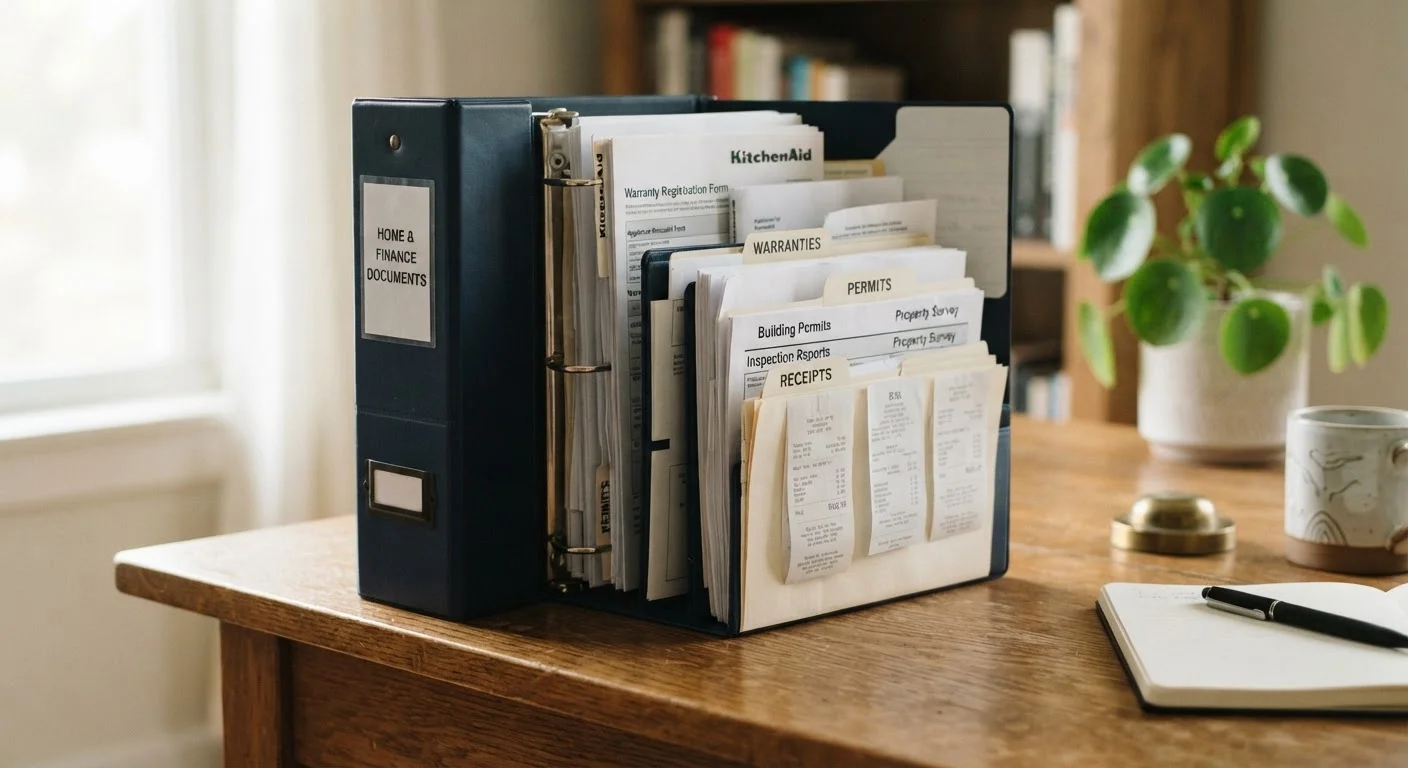
Photo: QuickSearches.net | It Doesn't Get Quicker Than This! editorial
Key Takeaways
- Keep permits, inspection reports, and contractor invoices permanently - they directly affect resale value and legal compliance.
- Appliance manuals and warranty documents should be stored together and easy to access for repairs or claims.
- A hybrid system - physical folder plus digital backup - protects records against loss, fire, or flood.
- Consistent record-keeping reduces tax liability by substantiating capital improvements when you eventually sell.
- Start organizing from day one; catching up years later is far more difficult and error-prone.
Why Home Records Matter More Than Most People Realize
Most new homeowners focus on maintenance tasks and mortgage payments - paperwork rarely feels urgent. But the documents you accumulate as a homeowner do real financial work. When you sell, the IRS allows you to add the cost of capital improvements (renovations that add value or extend useful life) to your home's cost basis, potentially reducing taxable gain. Without receipts, those deductions are nearly impossible to substantiate.
Records also matter for insurance claims, warranty disputes, contractor liability, and permit compliance. A buyer's inspector who discovers an unpermitted addition can derail a sale, or force a significant price reduction, at the worst possible moment. See our home maintenance schedule guide for the broader upkeep picture that good records support.
Permitted vs. Unpermitted Work: Why It Matters
The Four Categories of Documents Worth Keeping
Rather than saving everything or nothing, organize your home documents into four functional categories:
- Legal and ownership documents: Deed, title insurance policy, survey, closing disclosure, HOA agreements, and property tax records. These rarely change but are irreplaceable.
- Permits and inspection reports: Every permitted project - roof replacement, electrical panel upgrade, addition - should have a final inspection sign-off. Keep these indefinitely. Future buyers and their lenders will ask.
- Improvement receipts and contractor invoices: Any project that adds square footage, replaces a major system, or significantly upgrades the property qualifies as a capital improvement. Date, scope, and total cost should be documented. A general rule: if the IRS might treat it as an improvement rather than a repair, keep the paperwork.
- Appliance and system documentation: Manuals, model and serial numbers, installation records, and warranty cards for HVAC systems, water heaters, major appliances, and roofing. These speed up service calls and support warranty claims significantly.
Photograph every room and major system before and after any significant project.
Record model and serial numbers for every major appliance and system at installation.
Keep a running log of all contractor work, including service dates and costs.
Store copies of permits separately from contractor invoices, filed by project type.
Back up digital records in at least two separate locations.
Building a System That You'll Actually Use
The best filing system is the one you maintain consistently. A hybrid approach - one physical accordion folder or binder for originals, plus a digital folder structure for scanned copies - provides both accessibility and redundancy.
For digital storage, a cloud service with automatic syncing protects against fire, flood, or hard-drive failure. Scan or photograph documents promptly after receipt rather than letting them pile up. The paper clutter management guide offers practical strategies for staying on top of incoming household documents more broadly.
Label physical folders by category, not by year. Searching by topic ("Roof") is almost always faster than searching by date. Review and purge the system annually - but err on the side of keeping home-related paperwork longer than feels necessary. A receipt that seems irrelevant today may be exactly what you need when selling in fifteen years.
For additional strategies on organizing every room and system in your home, the home organization hub is a useful companion resource.
What You Can Safely Discard - and When
Not every piece of paper deserves permanent storage. Routine utility bills, general maintenance receipts for minor repairs (patching a small hole, replacing a faucet washer), and expired promotional materials can be discarded after a reasonable period - typically one to three years. The distinction is between repairs that restore something to working condition and improvements that increase value or extend life. Repairs generally don't affect your cost basis; improvements do.
Warranties expire, and manuals for appliances you no longer own can be recycled. When a major appliance is replaced, retire its old documentation and start a new record for the replacement unit.
This article is for general informational purposes only and does not constitute legal, tax, or financial advice. Consult a qualified tax professional or attorney for guidance specific to your situation.
The content on this site is provided for informational purposes only and should not be considered a substitute for professional advice. While we strive to provide accurate and up-to-date information, we make no guarantees regarding its completeness or accuracy. Always consult a qualified professional for advice specific to your circumstances before making any decisions