
The Paper Trail Problem: Taming Mail, Bills, and Household Documents

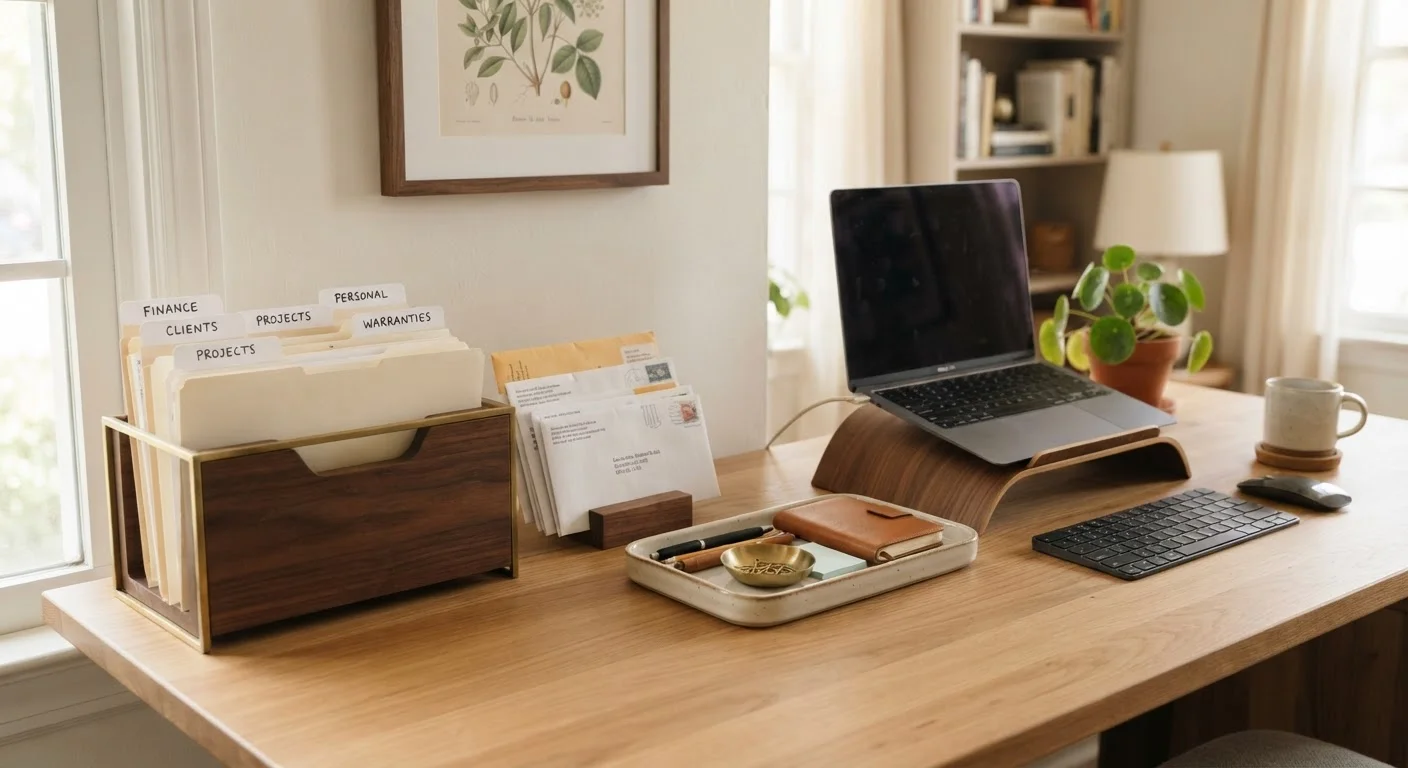
Photo: QuickSearches.net | It Doesn't Get Quicker Than This! editorial
Key Takeaways
- Most paper clutter builds up because there's no designated sorting system in place from the start.
- A three-category sort - act, file, shred - handles the vast majority of household paper.
- Retention timelines vary by document type; knowing what to keep prevents both hoarding and costly mistakes.
- Going digital doesn't mean eliminating paper entirely - a hybrid approach works best for most households.
- Consistency matters more than perfection: a ten-minute weekly paper session beats monthly marathon sessions.
Why Paper Clutter Gets Out of Hand So Quickly
The average American household receives a significant volume of mail each week - bills, statements, catalogs, notices, and assorted junk. Without an immediate sorting habit, paper accumulates on countertops, in junk drawers, and in "temporary" piles that become permanent fixtures. The root problem isn't volume - it's the absence of a decision-making system at the point of entry.
Paper that sits unsorted creates two distinct risks. First, important documents - an insurance renewal, a bill nearing its due date - get buried and missed. Second, sensitive information lingers in the open, creating unnecessary identity theft exposure. A workable system eliminates both risks without requiring elaborate organization skills or expensive supplies.
Cross-cut or micro-cut shredder
Safely destroys documents containing sensitive personal or financial information before disposal.
Hanging file folders and a file box or cabinet
Provides organized, labeled storage for documents that need to be retained long-term.
Desktop inbox or mail sorter tray
Creates a dedicated landing zone for incoming mail so it doesn't pile up on counters.
Label maker or printed labels
Keeps file categories clear and consistent so anyone in the household can find or file documents.
Flatbed scanner or scanning app
Converts paper documents to digital files for backup storage or going paperless.
If you're also thinking about how to handle documents digitally versus physically in other areas of life, our comparison of digital and physical organization approaches explores the honest trade-offs.
What you will need
How to Set Up and Maintain Your System
Follow the steps below to move from chaotic piles to a functioning household paper system. The first session takes the most time; after that, the weekly habit takes roughly ten minutes.
Set Up Your Sorting Station
Before touching a single piece of paper, create three physical zones or containers: Act (needs attention soon), File (keep for records), and Shred/Recycle (safe to discard). Label them clearly. This physical separation is what prevents sorted paper from merging back into one pile. Place your inbox tray in a consistent spot near the door or kitchen - wherever mail naturally lands first.
Do the Initial Sweep
Collect every paper pile in your home - counters, junk drawers, that chair - and bring it all to your station. Sort each piece into one of your three zones without stopping to act on anything yet. The goal here is categorization only. Pausing to pay a bill mid-sort derails the whole session. Move quickly; most decisions take under five seconds.
Process the Act Pile First
Work through your Act pile while it's fresh. This typically includes unpaid bills, forms to complete, items to return, and time-sensitive notices. Handle anything that takes under two minutes immediately. For the rest, write the action and due date on a sticky note attached to the document, then place it in a visible spot - a wall-mounted pocket folder works well for this.
Build Your Filing System
Create labeled hanging folders for your most common categories. A practical starting set includes: Tax Records, Insurance, Medical, Home & Utilities, Vehicle, Financial Statements, and Warranties & Manuals. File documents from your File pile into the appropriate folders. For guidance on what homeowners specifically should retain long-term, see our homeowner records guide.
Shred and Recycle the Rest
Work through the Shred/Recycle pile last. Run anything with personal information - account numbers, your Social Security number, medical details, or your full name and address - through the shredder. Plain envelopes, generic advertisements, and catalogs without personal information can go straight into recycling. Don't skip this step; it's a meaningful identity-theft safeguard.
Maintain a Weekly Ten-Minute Routine
Once your system is in place, maintenance is straightforward. Set a consistent weekly time - Sunday evening works well for many households - to sort incoming mail into your three zones, process the Act pile, file anything new, and shred discards. Ten minutes done weekly prevents the kind of backlog that turns into a weekend-long project. Renters may find a similar discipline especially valuable; maintaining a renter's paper trail can protect you in a dispute.
Always Shred Sensitive Documents
Once your physical system is running smoothly, consider reducing the flow at the source. Switching to electronic statements cuts incoming paper dramatically. For documents you do want digital backups of - tax returns, insurance policies, home purchase records - a basic scanner or smartphone scanning app can create searchable PDF copies stored in the cloud. This hybrid approach suits most households better than going fully paperless all at once. For context on how digital and physical document strategies compare in higher-stakes situations, this guide on managing critical paperwork for travelers offers a useful framework.
Go Paperless at the Source
Don't Discard These Documents Too Soon
The content on this site is provided for informational purposes only and should not be considered a substitute for professional advice. While we strive to provide accurate and up-to-date information, we make no guarantees regarding its completeness or accuracy. Always consult a qualified professional for advice specific to your circumstances before making any decisions