
Paper Budget vs. Spreadsheet vs. App: Matching the Tool to the Person

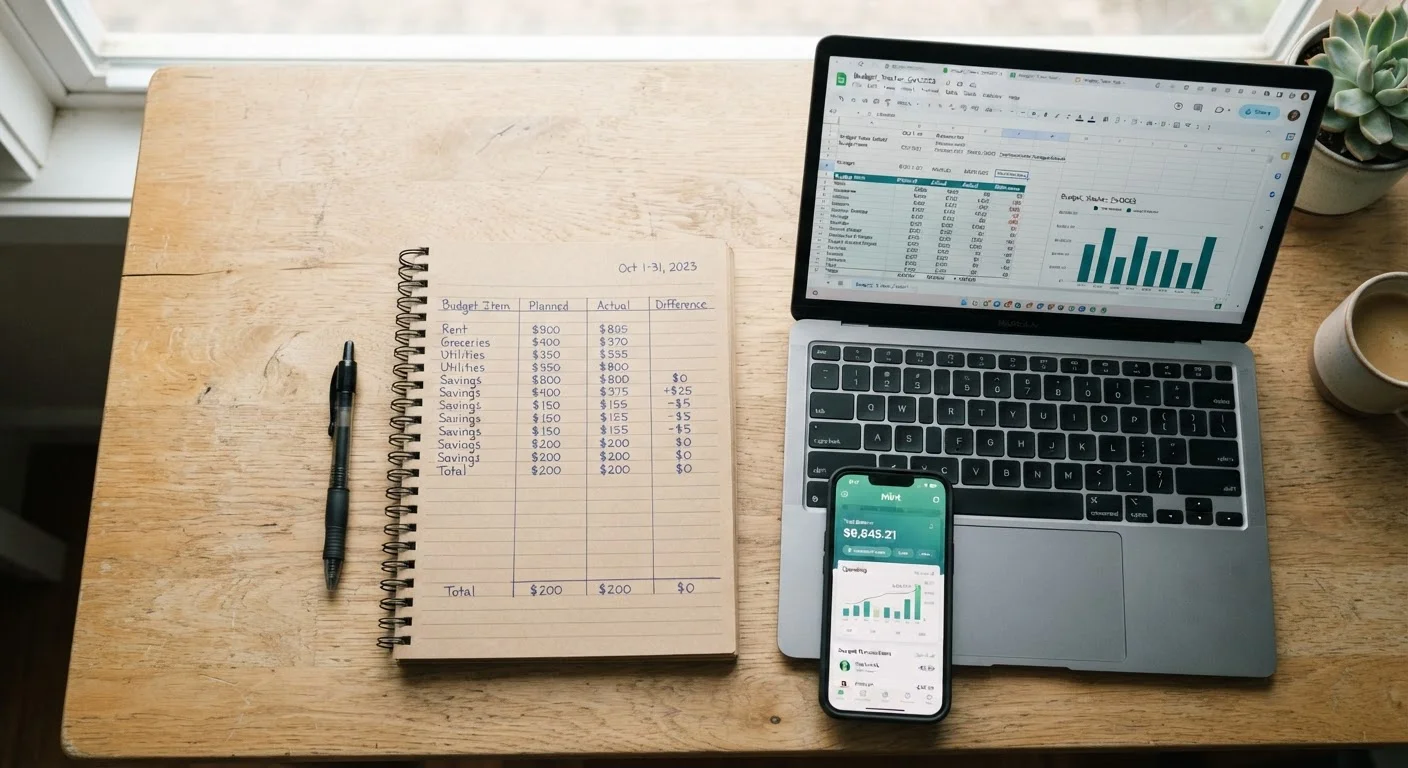
Photo: QuickSearches.net | It Doesn't Get Quicker Than This! editorial
Key Takeaways
- No single budgeting format works for everyone - the best one is the one you'll actually use consistently.
- Paper budgets build awareness and work well offline but require manual math and offer no automation.
- Spreadsheets offer the most flexibility and control but have a steeper learning curve.
- Budgeting apps automate tracking but require linking financial accounts, raising privacy considerations.
- Switching formats mid-year is fine - what matters is maintaining the habit, not the medium.
Why the Format You Use Actually Matters
Most budgeting advice focuses on methods - the 50/30/20 rule, zero-based budgeting, envelope allocations. Far less attention goes to the physical tool that holds all of it together. That's a gap worth closing, because the format shapes how often you engage with your budget, how accurate it stays, and ultimately whether you keep doing it at all.
A budget you abandon after three weeks helps no one. Research in behavioral economics consistently finds that friction is one of the biggest barriers to forming financial habits - meaning the harder a system is to maintain, the less likely it sticks. Before picking a format, it's worth being honest about how you actually work: Do you prefer pen and paper? Are you already spending time in a spreadsheet for work? Do you want your phone to handle the heavy lifting?
This is general financial education, not personalized advice. For decisions that depend on your specific situation, a qualified financial professional can help. That said, the format question is mostly about habit design - and that's something you can assess yourself. See our budgeting myths guide for a reality check on what budgeting actually requires.
Paper Budgets: Slow Down and Pay Attention
Writing a budget by hand remains one of the most effective ways to build awareness around money - not because paper is magic, but because the physical act of writing forces you to slow down. You can't auto-import transactions. You have to recall what you spent and write it down deliberately.
This format suits people who find screens distracting, who don't want to link bank accounts to any third-party service, or who are budgeting for the first time and want simplicity above all else. A simple notebook with categories and totals is genuinely enough to get started.
Start With What You Already Do
The downsides are real, though. Manual math means more room for error. There's no automatic calculation, no graphs, and no way to quickly search past entries. For households with variable income - freelancers, gig workers, or anyone whose paycheck shifts month to month - the lack of recalculation tools can be frustrating. Our guide to budgeting on irregular income addresses those specific challenges in more depth.
Spreadsheets: Power and Flexibility for the Detail-Oriented
A well-built spreadsheet is arguably the most capable budgeting format available - without any monthly fee or privacy trade-off. Programs like Google Sheets or Microsoft Excel let you create formulas that calculate totals automatically, color-code overspending, and build out months side by side for trend analysis.
The learning curve is moderate. If you've never built a spreadsheet from scratch, free templates are widely available and require minimal customization. If you're comfortable with basic formulas, you can build something tailored precisely to your spending categories and income structure.
| Paper Budget | Spreadsheet | Budgeting App | |
|---|---|---|---|
| Setup time | Very low | Low to moderate | Low |
| Ongoing time commitment | High (all manual) | Moderate (manual entry) | Low (auto-syncs) |
| Customization | Fully flexible | Highly flexible | Limited to app features |
| Privacy risk | None | None | Moderate (account linking) |
| Best for irregular income | Difficult | Well-suited | Varies by app |
| Shared access (couples) | Awkward | Easy (shared doc) | Depends on app |
| Cost | Near zero | Free or low cost | Free to ~$15/month |
Spreadsheets work particularly well for couples managing a joint budget, since both partners can access and edit a shared document in real time. For practical guidance on that conversation, see how to talk about money with a partner. The main limitation: you still have to enter transactions manually unless you build import tools, which adds time.
Budgeting Apps: Automation With Trade-Offs
Dedicated budgeting apps can connect directly to your bank and credit card accounts, categorizing transactions automatically and updating balances in real time. For busy people who aren't going to sit down weekly to enter data manually, this automation can be the difference between a working budget and an abandoned one.
Apps typically offer dashboards, spending alerts, and visual reports that make patterns easy to spot. Some are free; others charge a monthly or annual fee. Before choosing one, read the privacy policy carefully - you're granting the app read access to your financial accounts, and understanding how your data is stored and used matters. The digital envelope system overview covers how some apps replicate the envelope method digitally, which may be useful if that's the approach you prefer.
Apps are less ideal for people who prefer to stay offline, who have privacy concerns about third-party data access, or whose financial life is straightforward enough that automation adds no real value.
Choosing Your Format: A Practical Framework
Rather than defaulting to whatever sounds most modern or most disciplined, run through a few honest questions:
- How much time can you realistically spend on your budget each week? More time available favors paper or spreadsheet. Less time available favors an app with automation.
- Are you comfortable connecting financial accounts to a third-party service? If no, paper or spreadsheet is the right lane.
- Do you need to share the budget with someone else? A shared spreadsheet or multi-user app handles this better than a paper notebook.
- Do you have a highly variable income? A spreadsheet with flexible formulas often handles irregular income better than either paper or most app templates.
There's also nothing wrong with combining formats. Some people plan in a spreadsheet and use a paper notebook to log daily purchases - a hybrid that captures the benefits of both. What matters is doing a month-end review consistently, regardless of which tool holds the numbers. For the full picture on building a system that lasts, the complete personal budgeting guide is a useful next step.
The content on this site is provided for informational purposes only and should not be considered a substitute for professional advice. While we strive to provide accurate and up-to-date information, we make no guarantees regarding its completeness or accuracy. Always consult a qualified professional for advice specific to your circumstances before making any decisions